HomeTV
HomeTV is an Apple TV app that looks and feels like Apple’s TV app. It browses catalogs from Stremio-compatible add-ons, fills in artwork, cast and trailers from TMDB, and plays streams in its own player or hands them to Infuse or VLC. Sign in to Trakt and your progress, watched history and watchlist sync with your other apps.
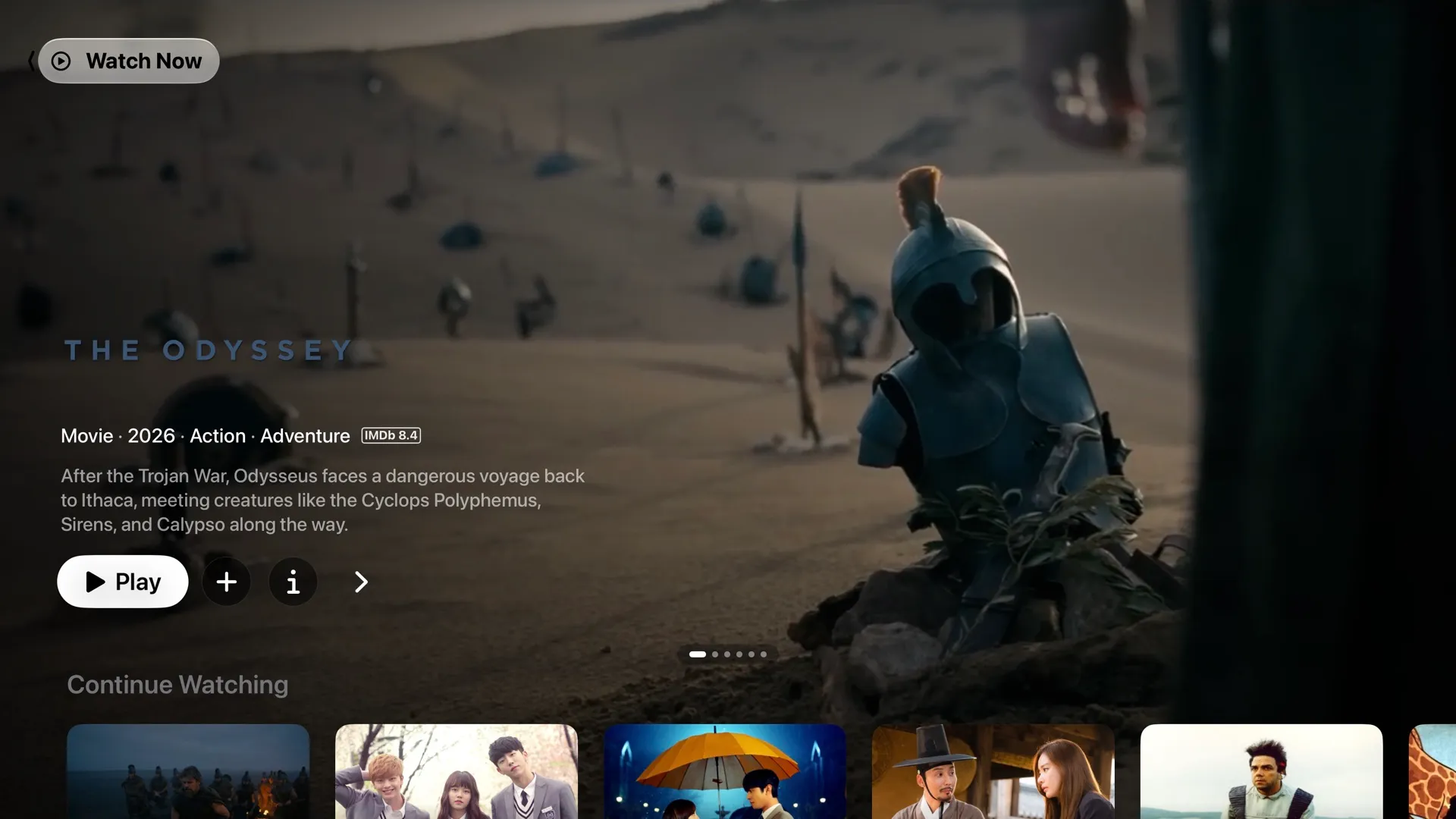
Features
Section titled “Features”- Watch Now. A full-screen hero carousel with trailers, then rows for Continue Watching, each add-on catalog, In Theaters & At Home, streaming channels such as Netflix and HBO Max, genres and Recently Watched. Open a row to page through its titles with their trailers.
- Search. Searches every add-on and cast at once, with Top Results, a section per type and suggestions.
- Title detail. Movie and show pages with episodes by season, trailers, cast & crew, related titles and details, plus episode and cast pages.
- Playback. A stream picker that gathers streams from all your add-ons and remembers your choice. The built-in player has Apple-style controls, subtitles, audio options, Skip Intro and Up Next. Infuse and VLC are optional.
- Trakt. Sign in to sync playback progress, watched state, your watchlist and Up Next.
- Library. Continue Watching and your Watchlist, stored on the Apple TV or in Trakt when you’re signed in.
- Top Shelf. A carousel with trailers on the Apple TV Home Screen that opens straight into a title.
Current limits
Section titled “Current limits”- Sideload only. HomeTV isn’t on the App Store. You build and install it from Xcode. With a free Apple Developer account the app expires after 7 days and has to be installed again.
- No CloudStream. CloudStream plugins are written for Android and don’t run on Apple TV. HomeTV uses Stremio add-ons only.
- The built-in player is still being built (#107). Known gaps: